
Guide / Faults - Connectivity
App will not connect, box shows offline: the Wi-Fi fix ladder for every brand
Research updated November 10, 2026 / Clean Litter Lab notes
Connectivity is the most fixable frustration in this category and the least well explained, because the same symptom - 'it will not pair' - has five different causes wearing one coat. Most automatic boxes speak only 2.4 GHz Wi-Fi, most modern homes run merged mesh networks that hide that band, and most failed setups die at that intersection. Whisker's official Wi-Fi troubleshooting and onboarding videos are below; the ladder here generalizes their sequence across brands.
Before the ladder: confirm the boring things. The box has power, your phone is on the home network, and you are standing next to the machine with the app open. A remarkable share of pairing failures are a phone that quietly roamed to mobile data.
Disclosure: links on this page are Amazon affiliate links. If you buy through them, Clean Litter Lab earns a commission at no extra cost to you. Picks are never sold or sponsored. How that works.
The ladder, visualized
Check the band. Most boxes speak 2.4 GHz only. A merged smart-connect network is fine, a 5 GHz-only network is not. Dual-band models (Open-X, Purobot Ultra, PurrTek) skip this failure entirely.
Stand next to the box. Pairing range is short by design. Phone within two metres, box freshly powered, is the combination that works in owner reports.
Kill the VPN and mobile data. Phone VPNs and smart-switch data features silently break local pairing more often than routers do.
Re-onboard, do not just reconnect. When an app shows a paired box as offline for days, removing and re-adding the device fixes the token mismatch that a router restart cannot.
Work the ladder in order - each step assumes the ones above it were checked. The ladder is compiled from the identical sequence in manufacturer support documentation across brands.
Work it in order
- 1Separate the bands, temporarily if neededIf your router merges 2.4 and 5 GHz under one name, most routers offer a guest network or a temporary 2.4-only mode. Pair the box on 2.4, then restore your normal setup - most models stay connected happily once onboarded. Dual-band models (CATLINK Open-X, Purobot Ultra, PetCove PurrTek) skip this step entirely.
- 2Disable phone VPN and data switchingA VPN routes the phone off the local network the box is trying to join. Smart-switch features that jump to mobile data mid-pairing break the handshake. Both off for the ten minutes of setup.
- 3Check the password like a skepticLong passwords with special characters fail silently on some embedded radios. If pairing dies at the password step repeatedly, a temporary simpler password test isolates the variable - change it back after, with the box re-onboarded if needed.
- 4Re-onboard instead of reconnectingA box that paired once and now lives offline usually holds a stale token. Remove it from the app, factory reset per the manual, and add it fresh. Owners report this fixing 'haunted' connections that survived every router restart.
- 5Move the box or the signal, honestlyLitter boxes live in bathrooms and laundry rooms - tiled, plumbed, signal-hostile rooms. If the connection drops daily, a mesh node in the same room is the unglamorous cure. The cleaning will continue without Wi-Fi meanwhile; only the data waits.
Watch: official Wi-Fi troubleshooting and onboarding
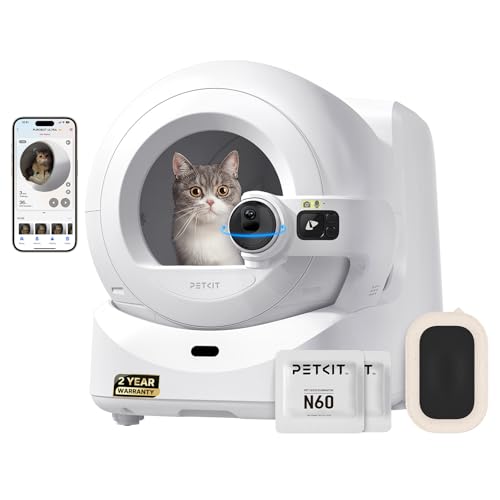
Two dual-band models that skip the band fight

Questions owners actually ask
Does the box stop cleaning if Wi-Fi drops?
No. Cleaning is local. Wi-Fi carries the app data, alerts and remote commands - an offline box is a blind box, not a dead one, on every model in the catalog.
Why does my mesh router hate my litter box?
Band steering pushes clients to 5 GHz, which most boxes cannot hear. The fix families are a 2.4-only SSID or guest network for pairing, or a dual-band box.
The app paired but shows another cat's data or nonsense weights. Related?
That is identification, not connectivity: cats of near-identical weight blur weight-based logs. Camera models exist largely to solve that specific problem.
Should I put the box on my IoT network?
A separate IoT SSID on 2.4 GHz is genuinely good practice for appliances and often pairs more easily than the main mesh. If your router offers it, use it.
Firmware update failed mid-way. Now what?
Leave the box powered and near the router, then retry from the app before resetting anything - most updaters resume. A box that stays unresponsive after a failed update is a support call, with the update time noted.
Is Bluetooth pairing better?
For onboarding, yes - the Open-X pairs over Bluetooth then joins Wi-Fi, which removes the phone-versus-box band mismatch from the first handshake entirely.
Spotted something out of date? The lab corrects the record in the open - see the contact and corrections page.